
The LiftMaster 66LM is an older wireless keyless-entry keypad. To program a compatible opener, briefly press its Learn button first, then enter your chosen four-digit PIN and hold Enter until the opener confirms. Match both model numbers before buying: this keypad is not a replacement for every LiftMaster generation.
Program a compatible 66LM
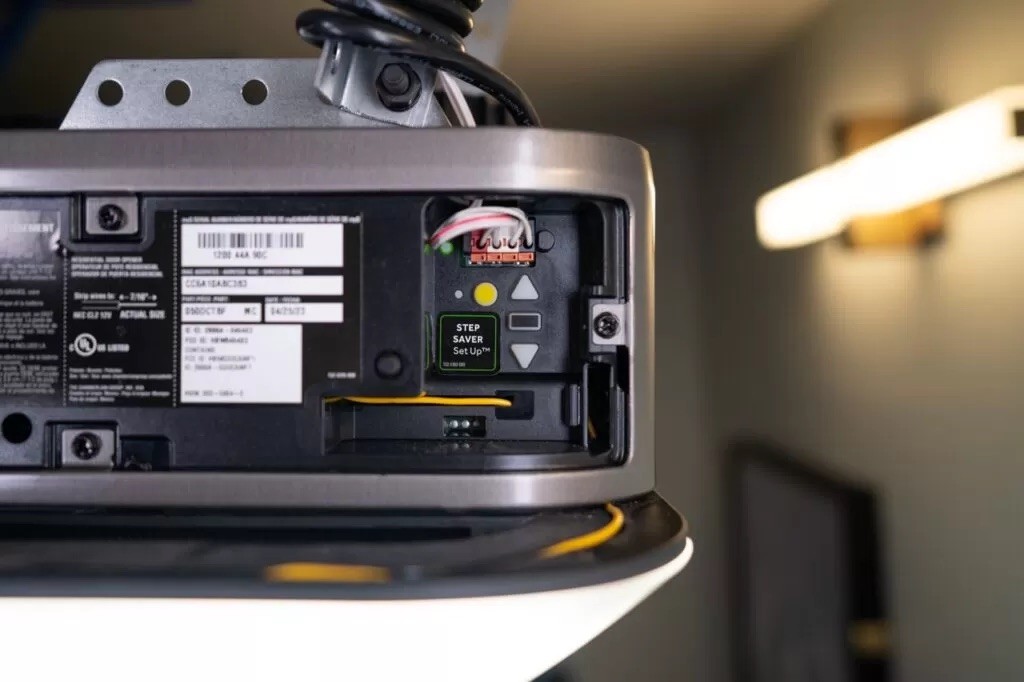
- Keep the door in view and its path clear. Locate the opener receiver's Learn button.
- Press and release Learn. Its indicator should stay on for 30 seconds.
- Within that window, enter a four-digit PIN on the keypad, then hold Enter.
- Release Enter when the opener lights blink or it gives two confirmation clicks.
- Wait for keypad activity to end, then test the PIN and Enter with everyone clear of the door.
These steps follow the 66LM/740CB owner manual. The manual's old receiver-color references should not be applied to newer openers using the same button colors.
If the keypad does not respond
- Check the 9-volt battery and clean, undamaged battery contacts.
- Verify the receiver is listed as compatible with the 66LM.
- Repeat the sequence from Learn, keeping within its programming window.
- Check that a working remote or wall control can operate the opener.
Do not hold Learn as a routine troubleshooting step: that may erase other remotes and keypads. If old access needs revoking, use the receiver's documented erase procedure and re-pair devices you want to retain.
Replacing an older keypad
Bring the keypad and opener model numbers to the compatibility check. A new keypad cannot add modern radio security or safety functions to an older opener. If suitable accessories or safety parts are unavailable, discuss replacing the opener.
See our LiftMaster keypad guide for other models. For keypad service, call (916) 838-8182.


Share:


